
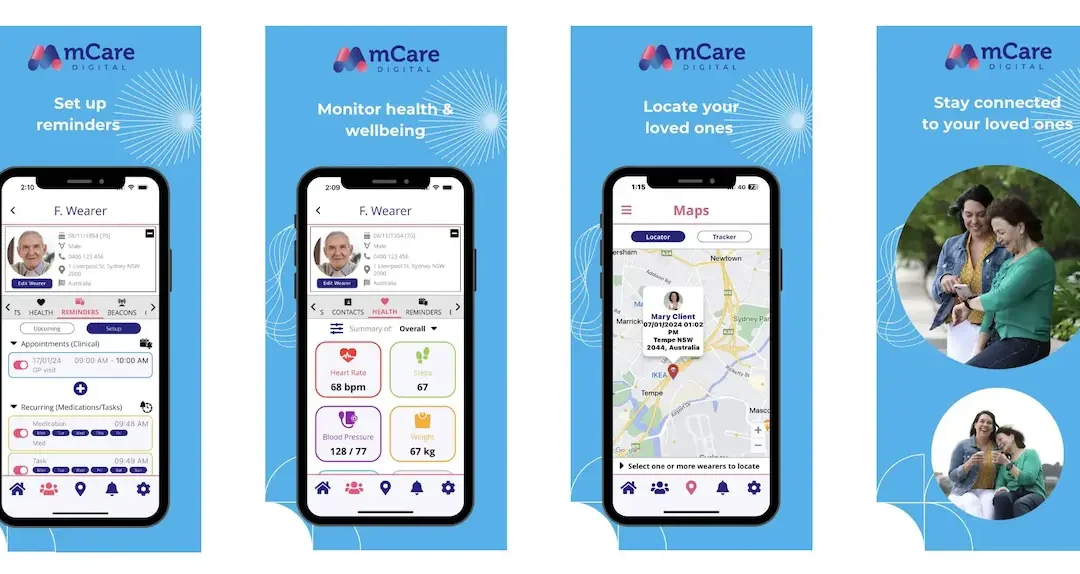
The mCare Digital app Maps feature gives carers, families and organisations enormous peace of mind by making it easy to locate and track a loved one. Whether you’re supporting an ageing parent living independently, caring for someone with dementia, or managing the safety of a family member or employee working remotely, the Maps feature makes locating a device quick, simple and reliable.
As one of the most frequently used features within the app, the Maps section allows authorised carers and administrators to view the wearer’s last known location, request an updated location when needed, and track movement directly from their smartphone.
In this Spotlight article, we’ll walk you through exactly how the mCare Digital app Maps feature works and how to get the most from its Locator and On Demand functions.
What is the Maps Feature?
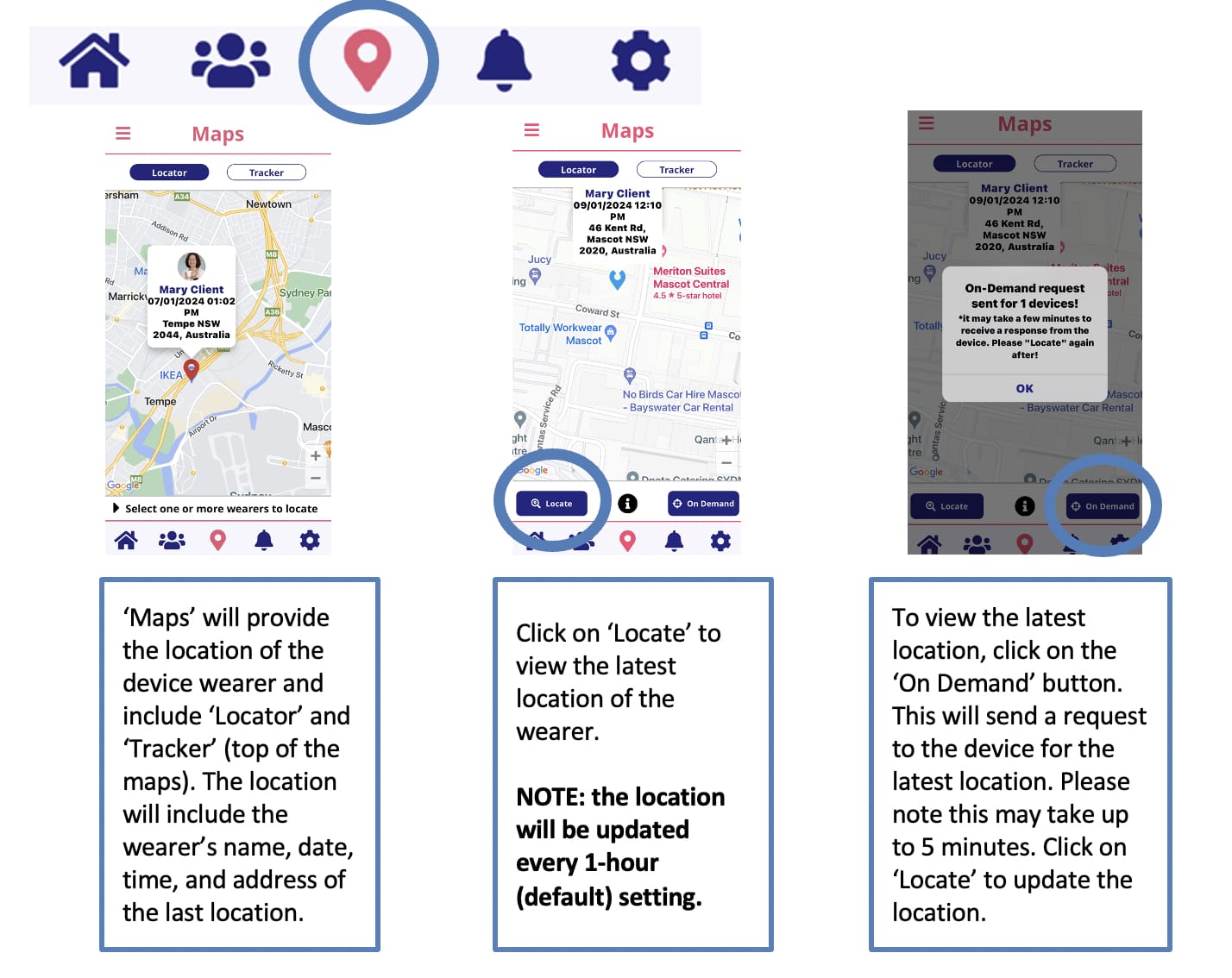
The Maps section is accessed by selecting the pin icon located in the centre of the bottom navigation menu within the mCare Digital mobile app.
Once opened, you’ll see two viewing options:
- Locator
- Tracker
These tools work together to help you understand where the wearer is and when their location was last updated.
Locator: View the Last Known Location
The Locator tab displays the device wearer’s most recently reported location on an interactive map.
The information includes:
- Wearer’s name
- Date and time of the last update
- Street address
- Location displayed on Google Maps
This gives carers an immediate overview of where the wearer was when the device last communicated its location.
How to Request the Latest Location
If you’d like to check whether the wearer has moved since the last update, simply tap Locate.
The app will refresh the latest recorded location from the device.
By default, location information updates every hour, helping preserve battery life while still providing regular location updates.
Need a Live Location? Use On Demand
For situations where you need the wearer’s most current location, tap the On Demand button.
This sends a request directly to the device asking it to transmit its latest GPS location.
Please note:
- The request can take up to five minutes on the mCare Digital app Maps depending on mobile network coverage and device connectivity.
- Once the location has been received, simply tap Locate again to refresh the map.
How to Use the Maps Feature
The illustrations below show how to access the Maps feature, locate a wearer and request an updated location using the On Demand function.
When Would You Use the Maps Feature?
The Maps feature is particularly useful when:
- Checking that a loved one has arrived home safely
- Locating someone during a welfare check
- Supporting people living independently
- Monitoring outdoor workers or lone workers
- Assisting people living with dementia or cognitive decline
- Confirming a device’s last known location before contacting the wearer
Rather than constantly checking in by phone, authorised carers can quickly confirm a location within the app.
Watch the Video Tutorial
Prefer to watch the process?
Our step-by-step video tutorial walks you through using the Maps feature, including how to locate a wearer and request an On Demand location update.
Frequently Asked Questions About The mCare Digital App Maps Feature
How often does the location update?
By default, the device updates its location every hour. This setting helps balance accurate location reporting with battery performance.
Why does the location sometimes take a few minutes?
The request is sent to the device over the mobile network. Depending on signal strength and connectivity, it may take up to five minutes for the location to be received.
How many carers can log into the carer’s mobile app and web dashboard (ConnectiveCare®)
You can have up to three (3) carers log into the mobile app or ConnectiveCare web dashboard for the Basic Service Plan and up to six (6) for the Standard and Premium Service Plans.
What does the On Demand button do?
On Demand requests the latest GPS location directly from the device rather than waiting for the next scheduled update.
Can I see previous locations?
Yes. The Tracker view allows authorised users to review movement history depending on device settings and permissions.
Who can access the Maps feature?
Only authorised users with access to the mCare Digital mobile app can view device locations.